
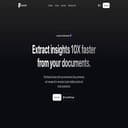
Review of AskYourPDF
AskYourPDF is a AI chat with PDF documents tool built for students and researchers. It bundles AI chat over PDF files, structured automatic summaries, Pro API for developers and fits a modern chat with PDFs workflow. The tool targets professionals processing many PDFs and consultants doing desk research alike, with a clear promise: save time on daily chat with PDFs tasks.
AskYourPDF: Discutez avec vos PDF et obtenez des réponses sourcées en quelques secondes.
Best for
- students and researchers
- professionals processing many PDFs
- legal and compliance teams
- consultants doing desk research
Not ideal for
- scanned PDFs without OCR
- highly confidential documents without controls
- graphic/vector design PDFs
- replacing an enterprise search engine
Pros & cons
- ✅ Accurate chat over PDFs
- ✅ Source-backed summaries with in-doc citations
- ✅ Pro API to integrate AskYourPDF
- ✅ Available on Chrome and iOS
- ✅ Generous free plan
- ⚠️ Very large documents need a Pro plan
- ⚠️ Not great with non-OCR scanned PDFs
- ⚠️ Check privacy needs for enterprise
- ⚠️ Accuracy varies with PDF structure
Our verdict
AskYourPDF stands out as a credible option in the chat with PDFs category. Its core strengths sit around accurate chat over pdfs and source-backed summaries with in-doc citations, making it a solid pick for students and researchers and professionals processing many PDFs. On the downside, very large documents need a pro plan — worth planning for if your use case is unusually demanding. Overall the value / price ratio holds up well versus competitors in the same segment. Test it first if you're trying to industrialize a chat with PDFs workflow without complicating your stack.
Alternatives to AskYourPDF
- Productivity suite with built-in AI: summaries, writing, turning notes into tasks, workspace search, and faster execution for teams.Editor’s pickProject Management+3
- French AI agent platform: up to 8 specialized agents to automate support, outreach, content and admin tasks through integrations.AI Agents+3
- Claude AI is an AI tool for code generation and faster writing.AI Assistant+3
- Coding Plan compares AI coding plans side by side — pricing, models, usage limits, and supported tools — covering Claude Code, GLM, MiniMax, Kimi, and Qwen.Code Generation+3
- Gemini (Google) is an AI tool for code generation and faster writing.AI Assistant+3
- Multi-model AI hub: chat, web research, document analysis, image generation, and voice available on mobile and desktop with one subscription.AI Assistant+2
- Reka is an AI lab offering multimodal models capable of understanding and reasoning over text, images, videos, and audio via API or enterprise deployment.APIResearch Assistant+2
- AI workspace that turns a prompt into documents, slides, sheets and web pages with deep research support.AI Assistant+3
- Fast AI chat assistant powered by GLM models, strong for research and coding supportAI Assistant+3
- Respond.io: omnichannel customer messaging platform with AI for sales and support teams across channels.ChatbotsLead Generation+2
- Resume Worded: AI-powered resume and LinkedIn profile optimisation for job seekers and career changers.Text Rewriting & Improvement+3
- Adobe Brand Concierge: branded conversational customer experiences for large B2C and B2B brands and beyond.AI AgentsChatbots+1


Read also
FAQ
What is AskYourPDF?
AskYourPDF is a AI chat with PDF documents tool that helps users speed up tasks in the chat with PDFs space, with a simple promise: save time without complicating the existing stack.
Who is AskYourPDF for?
The tool primarily targets students and researchers and professionals processing many PDFs, but it stays relevant for consultants doing desk research whenever the use cases revolve around AI chat with PDF documents.
Is AskYourPDF free?
The pricing model is: Gratuit / À partir de 9,99$/mois. Depending on your usage, a free trial or free plan may be enough before moving to a paid tier.
What are the main limitations of AskYourPDF?
The main limitations are: very large documents need a pro plan and not great with non-ocr scanned pdfs. Worth planning for if your use cases are unusually demanding.
Is AskYourPDF a good alternative to established players?
Yes, especially in the chat with PDFs space. AskYourPDF stands out via accurate chat over pdfs, which makes it a credible option versus better-known tools in the market.