

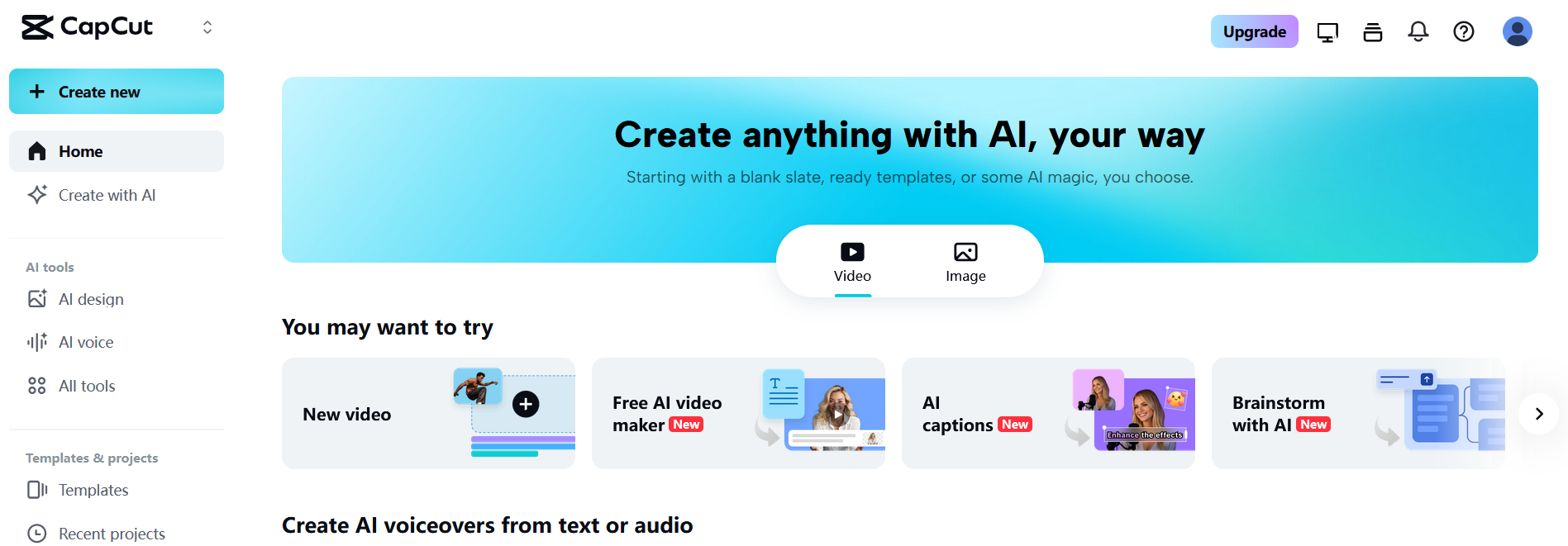
📘 Overview of CapCut
👉 Summary
CapCut has become one of the most popular video editors for short-form social content. Instead of a heavy, traditional editing workflow, it focuses on speed: templates, effects, music libraries, and formats designed for TikTok, Reels, and Shorts. This approach makes it attractive for creators and marketing teams who need to publish frequently while keeping a consistent look. Another key advantage is the set of practical AI helpers built into the editor. Auto captions, transcription, basic audio enhancement, and background removal reduce repetitive work and help teams move from raw clips to finished posts faster. This overview covers what CapCut is, its core features, the most profitable use cases, and how the free version compares to Pro depending on your production needs.
💡 What is CapCut?
CapCut is an all-in-one video editing app available across mobile, desktop, and web workflows. It provides a timeline editor for trimming, arranging clips, adding text, transitions, effects, music, and exporting in social-friendly formats. It stands out with production-oriented shortcuts: ready-to-use templates, caption styles, and an interface optimized for quick iteration. Beyond standard editing tools, CapCut includes AI-assisted features such as caption generation and transcription, plus enhancement tools depending on the platform and plan. CapCut is particularly well-suited for creators, small teams, and marketers producing short-form video, UGC ads, and social posts where speed, consistency, and frequent iteration matter.
🧩 Key features
CapCut offers a streamlined timeline editor with the essentials: trimming, splitting, speed controls, transitions, effects, and overlays. Users can add text, animated titles, stickers, and apply filters to unify the visual style across posts. Captioning is a major workflow feature. Auto captions and transcription make videos more accessible and easier to follow on mobile, where many people watch without sound. Caption styling and templates help match the tone of different content types. Audio workflows include music and sound effects, plus basic cleanup and enhancement tools depending on the plan. Voice-over creation is supported through text-to-speech options in some workflows. Finally, CapCut is built around publishing speed. Presets and export formats help teams iterate quickly, generate multiple variants, and ship social-ready videos without long production cycles.
🚀 Use cases
CapCut is ideal for short-form video: TikTok posts, Reels, Shorts, teasers, ads, and UGC-style content. Social teams use it to batch-produce variations, add captions rapidly, and maintain consistency across a campaign. For marketing, it helps create product clips, simple demos, announcement videos, and landing-page visuals with a fast turnaround. Freelancers can use it to deliver captioned edits efficiently, especially when clients need multiple versions. Creators also use CapCut for tutorials, educational snippets, and story-driven posts where captions and pacing are crucial. In an iteration-heavy workflow, it makes it easy to test hooks, caption styles, pacing, and different edits from the same source footage.
🤝 Benefits
The biggest benefit is production speed. Templates, effects, and built-in helpers reduce editing time and allow frequent publishing. Auto captions also improve clarity and retention, which is often critical for social performance. A second advantage is consistency. Reusing templates and styles helps teams standardize output across platforms and keep a recognizable identity. Third, accessibility and adoption are strong. CapCut is easy to learn and covers most needs for social-first marketing video without the overhead of complex professional suites. For many teams, it’s an efficient balance between usability and results.
💰 Pricing
CapCut offers a free version that covers core editing and basic publishing workflows. Pro tiers unlock more templates, effects, libraries, exports, and advanced tools depending on platform and region. Pricing can vary by country, device, and promotions, but Pro is typically offered as a monthly subscription with an annual option that reduces the effective monthly cost. Choosing the right tier depends on how often you publish and whether premium assets and advanced tools save enough time to justify the subscription. For frequent production and campaign work, Pro can be a productivity upgrade.
📌 Conclusion
CapCut is a strong editor for fast social video production. Templates, caption workflows, and export presets make it a practical choice for creators and marketing teams shipping content every week. If you need cinema-grade post-production or highly complex long-form workflows, a more specialized tool may fit better. But for social ads, UGC, short tutorials, and everyday marketing video, CapCut delivers an excellent mix of speed, simplicity, and results.


